Workflow Automation
What Should a Small Business Never Automate?
What to automate in a small business and what to keep with a person: prices, promises, refunds and upset customers, plus checks for silent failures and a rule set to copy.


On this page
The short answer
A small business should never let automation commit it to something a person hasn’t checked: a price, a refund, a delivery date, a discount or an exception to policy. It also shouldn’t send the first reply to a customer who is already upset. Reminders, confirmations, status updates and copying data between apps are usually safe to automate, as long as one person owns each workflow and would notice if it quietly stopped working.
I build automations and AI receptionists for a living, so my bias runs toward automating things. Telling a client where automation doesn’t belong is still part of the job.
What should never be left to automation?
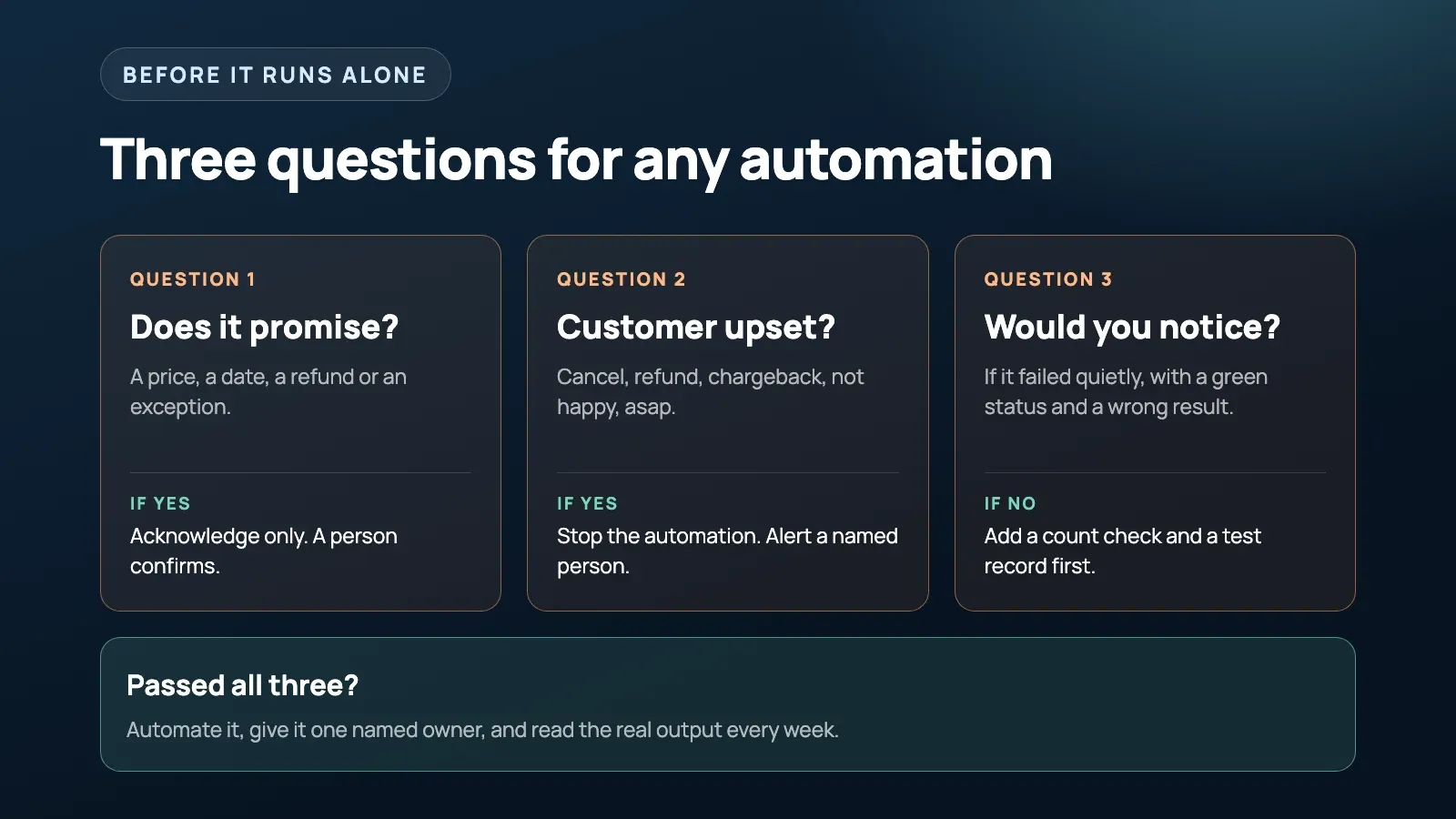
Unchecked commitments need a person. Watch for a message that sends successfully but says the wrong thing: a cheerful “yes, no problem” to a request nobody checked, or “ships tomorrow” sent to someone who wrote in to cancel. The software firing that reply has no idea whether it’s true for this customer.
The risk of unchecked promises came up in a Reddit discussion about automated replies. My rule is to acknowledge the request without approving it. An automatic reply can confirm you got the request and say when a person will answer. It shouldn’t say yes, quote a number or name a date unless that fact comes from a system that has already checked it, such as a live tracking status or a fixed price list.
Quotes, refunds, pricing exceptions and discounts stay with a person too. My test is whether a mistake can reach the customer before anyone on your team sees it. If it can, and that mistake would cost money or trust, put a human check in front of it. I’d rather delay a quote than send a price I’d have to retract.
Example messages to adapt:
| Risky automated reply | Safer version |
|---|---|
| “Yes, no problem, we can do that.” | “Got your request. Someone will confirm by 3pm today.” |
| “Your order ships tomorrow.” | “Your order is being packed. We’ll text the tracking link once it ships.” |
| “That job is usually around $400.” | “Thanks for the photos. Dan will look at them and send a quote by tomorrow.” |
| “We can make an exception this time.” | “I’ve passed this to the owner, who handles exceptions. You’ll hear back today.” |
Why shouldn’t automation reply to an upset customer?
Because a template at that moment tells the customer they aren’t worth a person’s time. Nobody minds an automated receipt or an appointment reminder, but a canned apology after a botched job shows the customer nobody read their message. A complaint you could have fixed with one phone call starts heading toward a cancellation.
The moments that need a person are the ones right after something went wrong: a refund dispute, a delayed order that has turned into a complaint, a cancellation request, or a customer who has messaged twice without getting a proper answer.
The practical tool is a keyword list that forces a human. Start with cancel, refund, chargeback, complaint, not happy, lawsuit and asap. Then add the words your own customers use when they’re annoyed. A plumber’s list might include “still leaking” or “came back”. A shop’s might include “wrong item”, “never arrived” or “damaged”. Copy the exact phrases from your recent complaints, because customers rarely use the formal word.
When one of those words appears:
- The automation stops for that customer, including any follow-up sequence.
- A named person gets an alert with the full message and the customer’s history.
- Nothing else goes out automatically until that person has replied.
If you’d rather send a short holding message than nothing, make it name a person and a time, like “Thanks, Sarah will call you this afternoon.” A vague “we’re looking into it” is the same template problem in a politer form.
What is safe to automate?
Jobs where the facts are the same every time and a mistake is cheap to fix. Reminders, booking confirmations, order status pulled from a live system, syncing stock between platforms and sorting email all fit. Invoicing and the first polite payment reminders make a good first project, since they save time without asking the software to use judgment.
Even then I’d keep a person on the exceptions: software can log an order, but when a delivery fails, someone should pick up the phone.
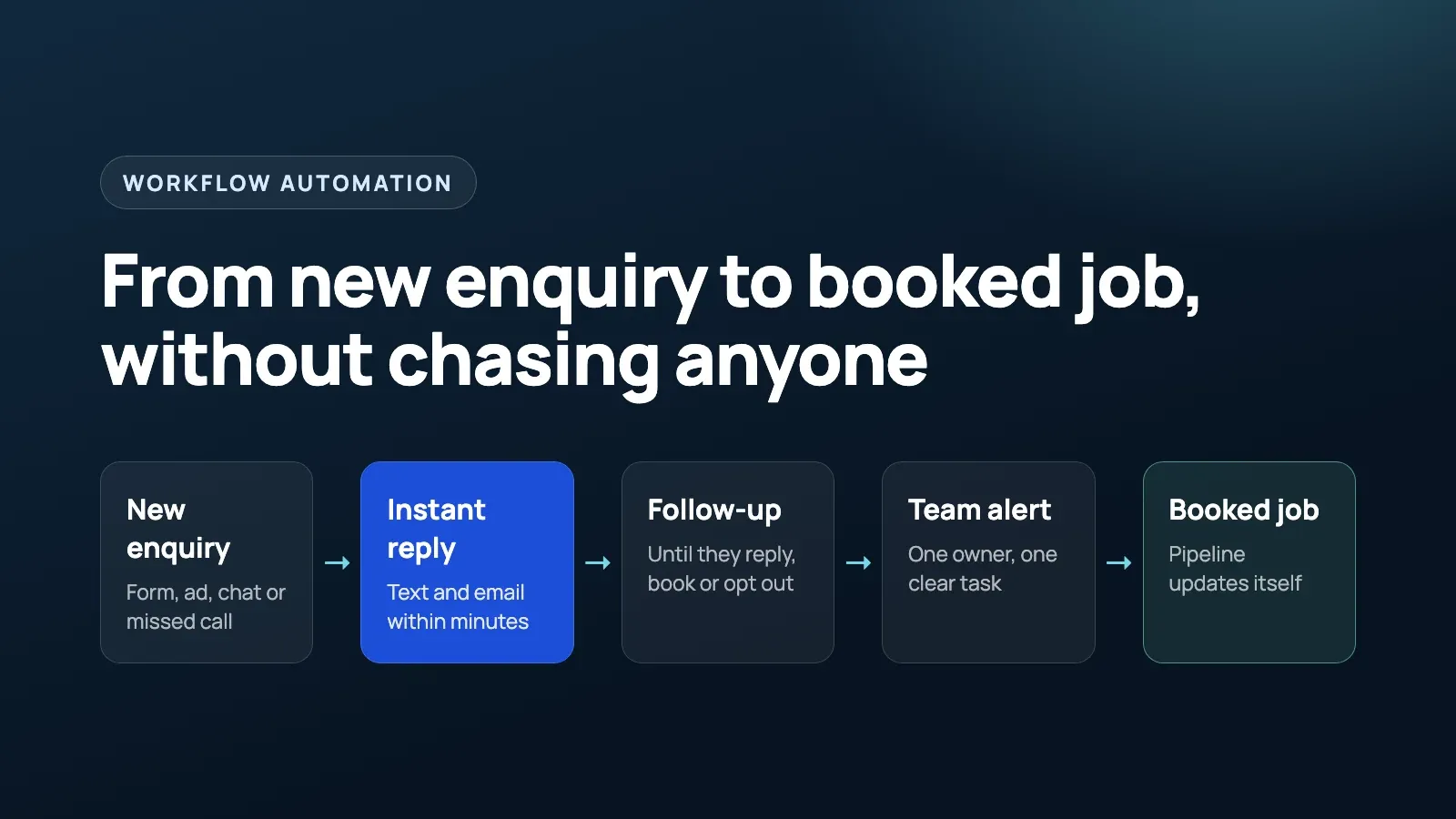
We split our own builds the same way. For Only Wood Floors, a flooring business in California, the automation texts every new lead asking for project photos and keeps following up until they arrive, then alerts the team. I’d keep the quote with the team reviewing those photos. For five Snap Fitness gym locations, including Spearwood and Cannington, the AI receptionists answer when staff can’t pick up, take a name, number and message, check the number is valid and route it to the right branch. We kept that job narrow on purpose and tuned it by reviewing real call recordings. If missed calls are your bigger headache, I’ve written about how to stop missing calls on the job.
Automate it or keep a person?
This is how I’d split the usual small business jobs.
| Automate it | Keep a person on it |
|---|---|
| Confirming you got a request and saying when someone will reply | Quotes, prices and discounts |
| Appointment reminders and booking confirmations | Refunds and payment disputes |
| Order or job status taken from a live system | Delivery or start dates nobody has checked |
| Copying data between apps, with a count check | Exceptions to your normal policy |
| The first one or two polite payment reminders | Chasing a genuinely overdue invoice |
| Sorting and tagging incoming messages | The first reply to a complaint or cancellation |
| Asking new leads for photos or details | Anything published under the business name |
| Drafting replies for a person to approve | Contracts and documents a client will rely on |
How do you catch an automation that fails silently?
Compare what goes in with what comes out, and look at the real output yourself. A green “success” status only tells you the workflow ran. It says nothing about whether the data was right.
Consider these hypothetical failures:
- An abandoned cart email keeps sending after its discount field breaks, so customers get an offer with no amount in it. They don’t complain. They just don’t buy.
- Lead routing assumes every form includes a phone number, so leads without one never reach the CRM.
- A template update reports success but strips out the payment link, so the reminder arrives with nothing to click.
I’d set up these checks:
- Count in against count out. Forms submitted against leads created, invoices due against reminders sent, missed calls against callbacks logged. Alert someone when they don’t match.
- Plant a test record. Once a week, submit a fake lead or booking under a name you’ll recognise, like “Test Zebra”, and check it comes out the other end correctly.
- After any change, open the real email or text on your phone and tap the real button, the way a customer would.
- Skim the exceptions weekly: bounced messages, leads who never replied, angry replies and records stuck on a step.
Who owns it when an automation goes wrong?
One named person, with an alert that actually reaches them. The owner needs a notification when a step fails or a record gets stuck, plus a short written note on what to do first: how to switch it off, who to call and where the login lives. Without the alert, the owner hears about the problem when a customer complains.
Reassign ownership whenever someone leaves or changes role.
When a customer-facing automation misfires, switch it off before you fix it. Editing a live trigger while it’s still firing just sends more bad replies. Pause it, send a personal note to anyone who got the wrong message, then rewrite it.
Does automating a broken process make it worse?
It can make the problem harder to see. A person stuck with a bad process complains about it. Software can repeat the same mistake without anyone noticing.
I’d distinguish a broken process from a tedious one. If the rules are clear and someone just repeats them, automate it now. If different people do it differently, settle the rules first. Otherwise whoever builds the automation picks the rules by default.
Sometimes the fix isn’t automation at all. If invoices get written from memory days after the job, writing them from job notes before you leave the site may do more for slow payments than any reminder sequence. A lot of what gets sold as AI automation could also be a plain rule in your CRM. If a task has one right answer every time, I’d use a normal rule rather than a language model, because the rule gives the same result every time and the model might not.
How should you test an automated message before it goes live?
Read it in the voice of an annoyed customer. Send a copy to yourself and read it out loud as someone whose order is late, and the cheerful lines that would land badly jump out.
Then run it as a draft for about two weeks. The tool prepares each message and a person presses send. Keep a tally of how often you’d have changed or blocked a message. If you’re still overruling it regularly at the end of the two weeks, it isn’t ready to run alone.
Before you switch it on, send it messages that try to break it: ask to cancel, ask for a discount, reply angrily, leave a required field blank, reply STOP. If any of those gets a cheerful automated yes, the wording or the stop rules need more work before it runs alone.
A rule set you can copy
- Automation can acknowledge and route. It doesn’t promise a price, a date, a refund or an exception unless a system has already checked that fact.
- Keep a keyword list that stops the automation and alerts a person.
- Any reply from a customer stops their sequence.
- Every workflow has one named owner, and failures alert that owner.
- Every workflow has a count check comparing what went in with what came out.
- New customer-facing automations run as drafts for two weeks.
- Read every template as an annoyed customer before it goes live.
- When something misfires, switch it off first and fix the wording second.
- If people do the process differently, settle it on paper before building.
If you already have follow-up running, our guide to automated lead follow-up covers the stop rules in more detail.
FAQ
What should a small business never automate?
Anything that commits the business to money, a date or an exception, such as quotes, refunds, discounts and delivery promises, plus the first reply to an upset customer. Automation can confirm it got the request and say when a person will answer. A person should make the call.
Can an automated reply promise a price or a delivery date?
Only when the price or date comes straight from a system that has already checked it, like a live tracking status or a fixed price list. Otherwise the reply should acknowledge the request and say when a person will confirm.
Which words should send a customer message to a human?
Start with cancel, refund, chargeback, complaint, not happy, lawsuit and asap, then add the words your own customers use when something has gone wrong. When one appears, the automation should stop for that customer and alert a named person.
How do you know if an automation is failing silently?
Compare the count going in with the count coming out, such as forms submitted against leads created, and alert someone when they don’t match. Also run a test record through it regularly and open the real message or page yourself, the way a customer would.
Should you fix a process before automating it?
If the rules are clear and a person just repeats them, automate it now. If different people do it differently, settle the rules first, because the automation will lock in whichever version you happen to build.
Final thought
I’d start by checking the messages your business already sends automatically. Look for unchecked promises and find out who gets alerted when something goes wrong. That review will tell you which workflows need a person before you add another one.
If you want help working out which parts of your business can safely run on their own, and putting checks on the ones that do, see how we approach workflow automation.
Free 30-minute strategy call
Want this working in your business?
Show us where time, leads, or money are leaking. We will map the simplest system that fixes it. If we are not a fit, you still leave with a clearer plan.
Book a Free Strategy Call