
Workflow Automation
Automated Lead Follow-Up for Service Businesses: From New Enquiry to Booked Job
How to set up automated lead follow-up that replies in minutes, follows up until people respond, stops at the right moment, and keeps every lead in your CRM.

On this page
The Short Answer
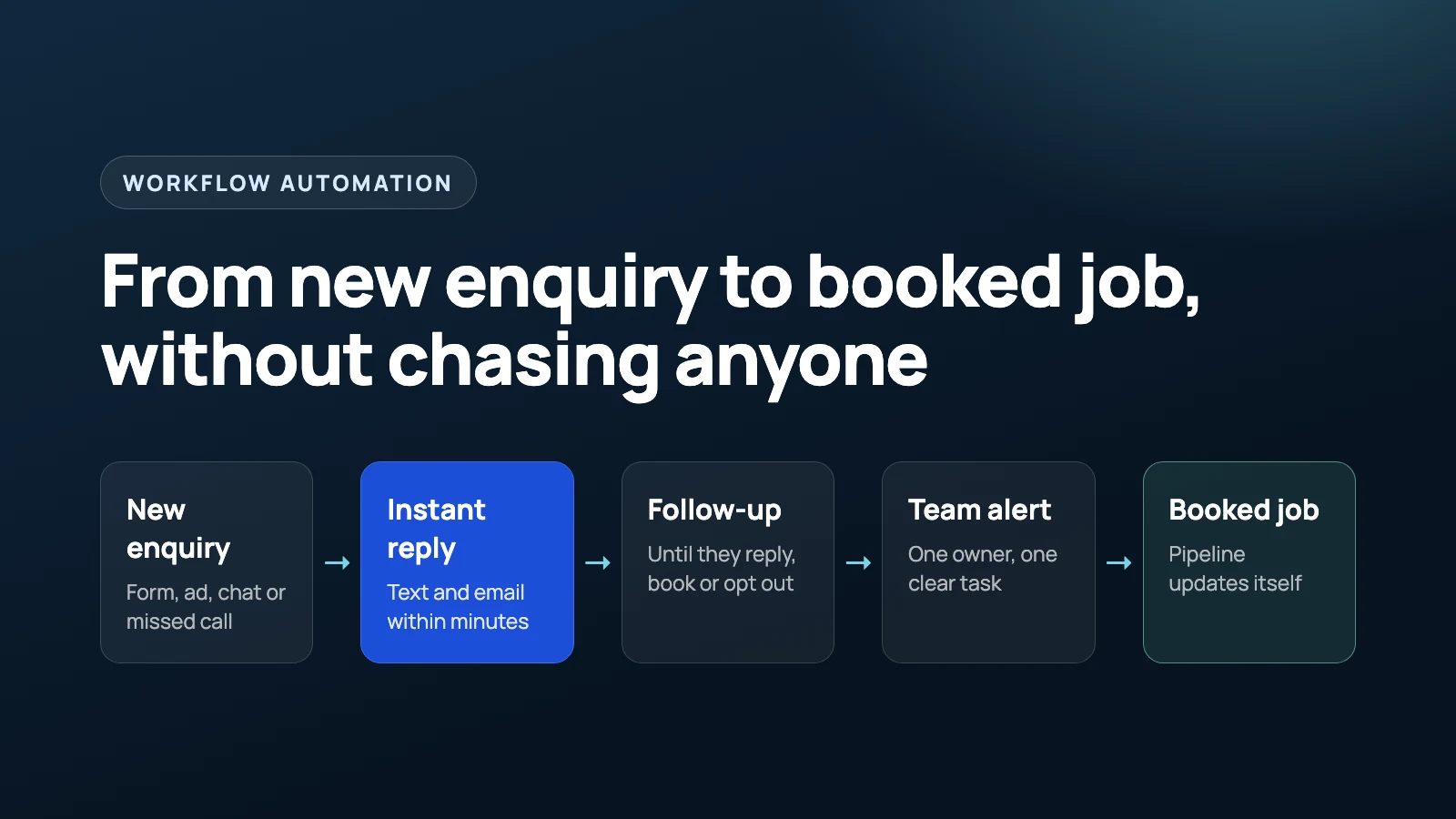
Automated lead follow-up means every new enquiry gets a reply within minutes, a short series of reminders if the person goes quiet, and a clear task for someone on your team. It stops as soon as the person replies, books or opts out. Everything is logged in your CRM, so no lead depends on someone remembering. Most service businesses can build it with the CRM they already use.
Why Service Businesses Lose Leads
Most leads are not lost because the price was wrong. They are lost because nobody got back to them in time, or nobody followed up after the first reply.
The numbers have been clear for a long time. In a Harvard Business Review audit of 2,241 US companies, the average first response to a web lead took 42 hours, and 23% of companies never responded at all. In a separate data set from the same research, companies that tried to contact a lead within an hour were nearly seven times as likely to qualify it as those that waited even one hour longer.
The research is from 2011, so treat the exact numbers with care. The lesson has not changed: the longer a lead waits, the less likely you are to win the job.
In service businesses, the leaks usually look like this:
- A form comes in after hours and sits until the next morning.
- The person who saw the enquiry got busy and forgot to reply.
- A quote was sent, the customer went quiet, and nobody checked in.
- The customer said “not right now” and was never contacted again.
- Lead details live in an inbox, a phone and a spreadsheet, so nobody knows the status.
None of these need more staff. They need a system that does the same simple steps every time.
What an Automated Follow-Up System Does
A good follow-up system has five parts. Each one is simple. The value comes from having all five working together.
1. Capture every enquiry in one place
Web forms, ad forms, chat, email and missed calls should all create or update one contact in your CRM. If the same person comes in twice, the system should update the existing contact, not create a duplicate.
Missed calls are leads too. For five Snap Fitness gym locations, we built AI receptionists that answer when staff cannot pick up, take the caller’s name, number and message, check that the phone number is valid, and pass it to the right branch. That message then becomes a lead the team can act on, instead of a voicemail nobody hears.
2. Reply within minutes
The first reply confirms you received the enquiry, says what happens next, and asks one useful question or offers a booking link. A text and an email together work well: the text gets seen, the email holds the details.
3. Assign the lead to a person
Every lead needs one owner. The system assigns it, creates a task with a due time, and alerts that person. If the lead looks urgent, it alerts them straight away.
4. Follow up until the person responds
If there is no reply, the system sends a few short reminders over several days. The moment the person replies, books or opts out, the reminders stop.
5. Track every stage
Pipeline stages update on their own: New, Contacted, Quoted, Booked, Lost. You can see where every lead is without asking anyone, and you can see where leads get stuck.
A Simple Follow-Up Sequence You Can Copy
This is a starting point, not a rule. Adjust the timing and wording to your business and your customers.
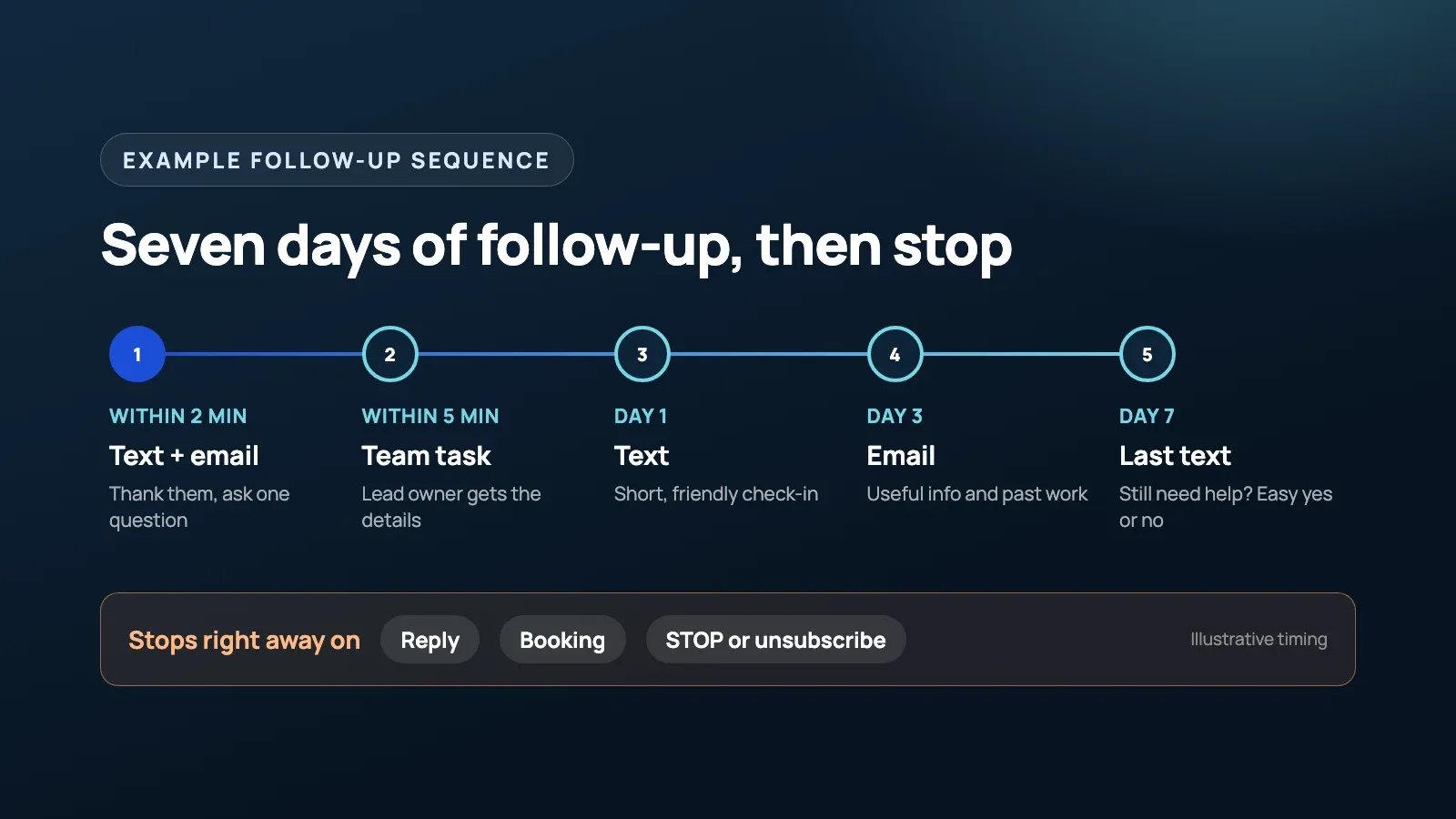
| When | Channel | What it does |
|---|---|---|
| Within 2 minutes | Text and email | Thanks them, confirms what they asked about, asks one question or offers a booking link |
| Within 5 minutes | Team alert | Creates a task for the lead owner with all the details |
| Day 1, if no reply | Text | Short, friendly check-in |
| Day 3, if no reply | Something useful: what to expect, examples of past work, common questions | |
| Day 7, if no reply | Text | A polite last message asking if they still need help |
| After day 7 | Pipeline | Marks the lead as no response, or moves it to a monthly newsletter if they agreed to marketing |
Here is what the first text might look like:
Hi Sarah, thanks for contacting [Business Name] about your bathroom repair. I am looking at your request now. Is there a good time today for a quick call?
And the last one:
Hi Sarah, just checking in one last time about your bathroom repair. If you still need help, reply here and we will sort it out. If not, no problem at all.
Short, personal, and easy to answer. The last message gives people an easy way to say yes or no, without pressure.
These messages are illustrative. Write yours in the way your team actually talks.
The Stop Rules Matter More Than the Messages
The fastest way to annoy a customer is a follow-up that keeps going after they already replied. Every sequence needs clear rules for when to stop or change course.
- Stop on reply. Any reply from the lead removes them from the sequence and alerts the owner.
- Stop on booking. When an appointment is booked, the lead moves to the next stage and gets booking reminders instead.
- Stop on opt-out. If someone replies STOP or unsubscribes, they get no more messages. No exceptions.
- No double sequences. If the lead is already in a follow-up, a second form fill should update the contact, not start a second sequence.
- Send at sensible hours. The first reply can go out right away, because they just contacted you. Schedule later reminders for daytime hours in the customer’s time zone.
- Escalate hot leads. Words like “today”, “urgent” or “leak” should alert a person straight away.
Test these rules before going live. Send yourself a test lead, reply halfway through, book halfway through, reply STOP, and check that each one does what it should.
Real Example: Following Up Until the Photos Arrive
Only Wood Floors, a flooring business in California, needed photos from every new lead before it could quote the job.
So the follow-up was built around that one missing piece. New leads are asked by text for photos of the project, and the system keeps following up until the photos arrive. Only then is the team alerted. Every message is logged in HighLevel, the CRM they already used.
The client wanted no extra tools, so we built it with native HighLevel workflows and no third-party connectors. At the time, HighLevel had no built-in trigger for incoming picture messages, so we built a workaround to detect when photos came in.
The lesson for any service business: find the one thing your team needs before the next step, whether that is photos, an address, a budget or a preferred time, and build the follow-up to collect it.
Text, Email or Both?
Use both. They do different jobs.
| Text | ||
|---|---|---|
| Best for | Fast replies, short questions, reminders | Details, photos, examples, longer answers |
| Seen quickly | Usually | Not always |
| Setup needed | Registered business number, consent wording | Sending domain set up correctly |
| Watch out for | Sending too many, sending at night | Landing in spam, long messages nobody reads |
A simple rule: if the person needs to answer, send a text. If they need to read something, send an email.
Compliance Basics for Automated Texts and Emails
This is general information, not legal advice. The rules depend on where you and your customers are.
- United States. Carriers require businesses to register for A2P 10DLC before texting US customers from a regular 10-digit number. HighLevel has its own registration guide. The wireless industry’s messaging best practices ask senders to get consent and honour opt-outs.
- Australia. Under the Spam Act, commercial texts and emails need consent, must identify the sender, and must include a working way to unsubscribe. The ACMA explains the rules in its guide on avoiding spam.
- Everywhere. Add clear consent wording to your forms, put your business name in the first message, and stop messaging anyone who opts out.
Replying to someone who just asked you for a quote is different from sending marketing to a list. Keep the follow-up focused on their request.
What You Need Before You Build
You do not need a big project to start. You need a few decisions made first:
- One CRM where every lead lives. Use the one you already have if it can send texts and emails.
- Clear stages. Agree what New, Contacted, Quoted and Booked mean in your business.
- An owner for every lead, and a target time for a person to respond.
- Your message templates, written in your own voice.
- A texting number that is registered where required.
- Your lead sources listed, so none are missed.
Most of the work is in these decisions, not the software. Once they are clear, the build is straightforward.
Common Mistakes
- Sending too much. Five messages in a week is plenty. Fifteen is spam.
- No stop rules. The sequence keeps going after the customer replied or booked.
- Long, formal messages. People reply to short texts that sound like a person.
- Too many tools. Connecting five apps when your CRM can do it alone adds cost and more things to break.
- Nobody watching. Check once a week which leads are stuck and why.
FAQ
What is automated lead follow-up?
It is a set of CRM workflows that reply to every new enquiry within minutes, send a short series of reminders if the person goes quiet, assign the lead to someone on your team, and stop as soon as the person replies, books or opts out.
How fast should you respond to a new lead?
Within minutes if you can, and always within the first hour. Research published in Harvard Business Review found that companies contacting leads within an hour were far more likely to qualify them than companies that waited longer.
How many follow-up messages should you send?
For most service businesses, four or five messages over about a week is enough. After that, move the lead to a slower nurture list only if they agreed to receive marketing messages.
Do I need a new CRM for automated follow-up?
Usually not. Most modern CRMs, including HighLevel and HubSpot, can send texts and emails, assign tasks and move leads through stages. Start with the tool you already pay for.
Is it legal to text leads automatically?
It can be, if you follow the rules where you operate. In general that means getting consent, saying who you are, and honouring opt-outs straight away. US business texting also needs A2P 10DLC registration. Get advice for your own situation.
Final Thought
Good follow-up is not about sending more messages. It is about replying fast, following up a few times, and stopping at the right moment, every time, without relying on memory.
If you want help mapping your lead sources and building this inside the CRM you already use, see how we approach workflow automation.
Free 30-minute strategy call
Want this working in your business?
Show us where time, leads, or money are leaking. We will map the simplest system that fixes it. If we are not a fit, you still leave with a clearer plan.
Book a Free Strategy Call