Voice AI
What an AI Receptionist Really Costs a Small Business
AI receptionist plans start under $150 a month, but spam, extra calls, texting registration and your own review time decide the real bill. Prices checked and a worked example.


On this page
The short answer
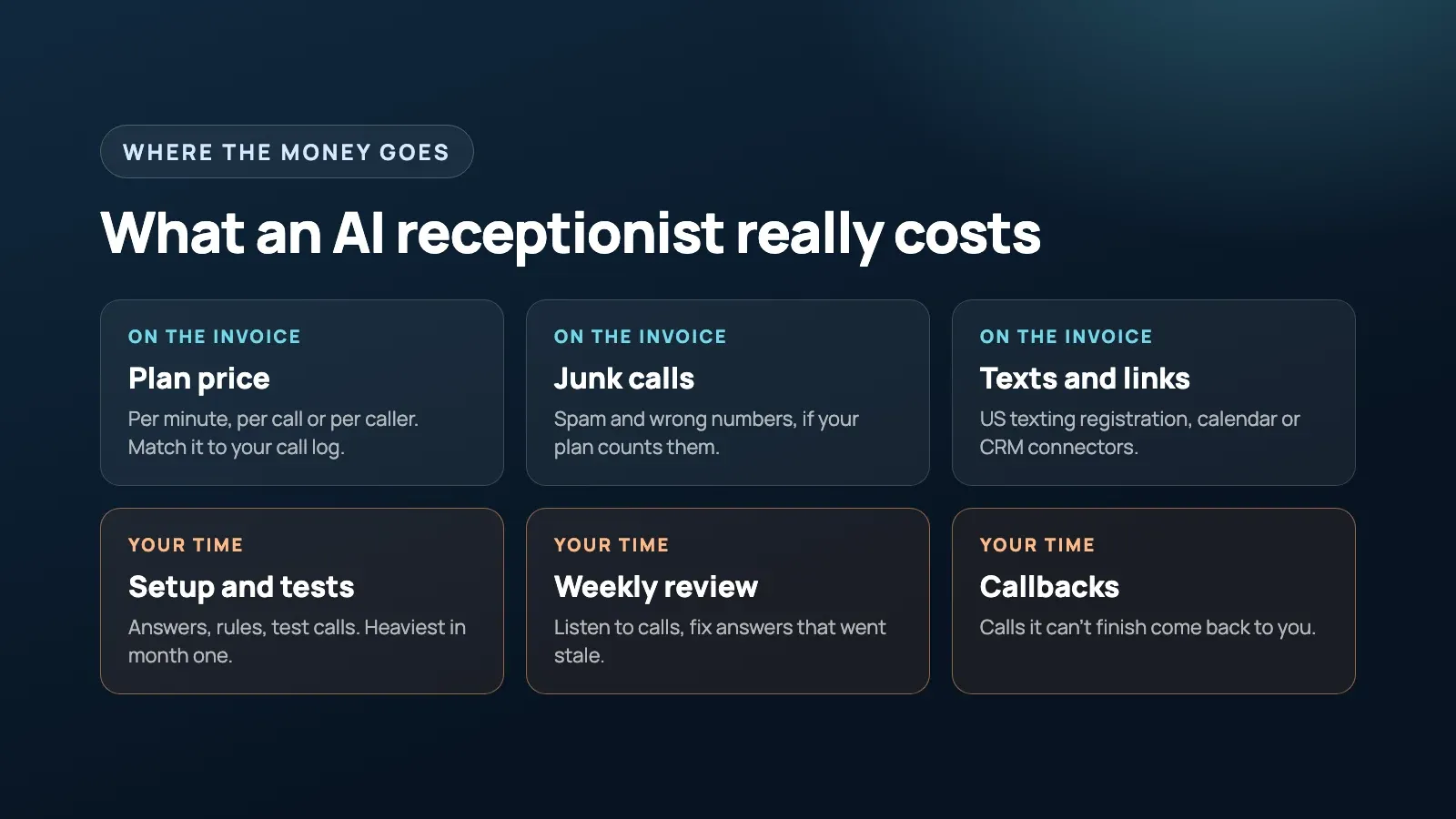
An AI receptionist’s plan price is often the smaller part of what it costs. The paid plans I checked started between $49 and $150 a month, but what you actually pay depends on how the vendor counts usage (minutes, calls or callers), how much spam you get, whether it can book into your real calendar, and how many hours you spend setting it up and checking its calls. For a small business with about 100 real calls a month, your own time can cost more than the software.
How do AI receptionist companies charge?
Companies charge by minute bundles, calls, unique callers or raw platform minutes. These are the vendors’ published prices checked on October 22, 2026, not recommendations. Check the links before buying, since prices change.
| Vendor | Billing model | What the page lists |
|---|---|---|
| Rosie | Minute bundles | $49 for 250 minutes, $149 for 1,000, $299 for 2,000. Calendar booking starts on the $149 plan |
| Smith.ai AI Receptionist | Per call | Free for 25 calls, $150 for 75 calls, $500 for 300. Extra calls $2.10 to $3.00 each |
| Goodcall | Per unique caller | $79 for 100 callers, $129 for 500, $299 for 2,000. No minute charges |
| Retell AI | Raw per-minute platform | $0.07 to $0.31 a minute. You or a builder set everything up |
| Smith.ai human receptionists | Per call, staffed by people | $300 for 30 calls, $810 for 90, $2,100 for 300 |
| Ruby | Minute bundles, staffed by people | $250 for 50 minutes, $395 for 100, $720 for 200, $1,725 for 500 |
The billing model matters more than the headline price. Minute bundles reward short calls. Per-call pricing hurts if you get lots of short calls, like “are you open Saturday?” Per-caller pricing suits businesses whose customers ring back three times about the same job. I build AI receptionists using Retell. It can be the cheapest per minute, but someone has to build and maintain the setup.
Before you compare plans, pull last month’s call log and count three things: how many calls you’d forward, how long they last, and how many come from the same people.
Do spam calls eat into your plan?
They can, depending on the vendor. Junk calls cost money on any plan that meters what the AI answers.
The pricing pages handle it differently. Goodcall says spam and wrong numbers don’t count. Smith.ai’s AI plan filters known spammers before answering, and every other answered call counts unless you use an allowance to remove up to 10% of calls as spam each month. Smith.ai’s human plans don’t charge for spam as long as your forwarded calls pass caller ID. Rosie lists automatic spam detection on every plan.
Ask the vendor: “If a robocall gets answered, do I pay for it?” If a fifth of your calls are junk, that changes which plan is cheapest.
How much of your own time will it take?
More than the ads suggest, and most of it lands in the first couple of months. Setup means writing down your services, prices, hours and the questions people actually ask, then calling the number yourself until the answers sound right.
This came up in a Reddit discussion started by a small service business owner asking whether an AI receptionist is worth setting up or just another thing to maintain. The advice that kept coming back: the setup decides the result, and checking its work is a cost you have to count.
After launch, someone has to catch wrong answers and update what the AI knows. Here’s the routine I’d set up:
- Read every call summary for the first two weeks, then a sample each week.
- Give every fact you load (prices, hours, holiday closures) a review date. Old holiday hours and last year’s prices are the usual problem, and callers believe whatever the AI tells them.
- Get call summaries by email or text, so checking doesn’t mean logging into another dashboard.
When we built receptionists for five Snap Fitness gym locations, including Spearwood and Cannington, the job was narrow on purpose: answer when staff can’t pick up, take name, number and message, check the phone number is valid, and send it to the right branch. After launch, we listened to real call recordings and adjusted how the agent behaved. Whoever builds yours, budget for that tuning time.
What happens to the calls it can’t handle?
You call them back, so that time stays on your bill. If most calls end as “call this person back”, you’re paying for a message-taker, and your voicemail already does that for free. A human service with a loose intake has the same problem.
Callbacks are fine when they’re planned. Decide which calls the AI finishes and which it hands to you, and make the handoff a text with the caller’s name, number, what they want and how urgent it is. My rule is that the AI answers only from facts you’ve written down. Anything technical gets a callback, because a confident wrong answer about a repair or a quote is hard to walk back. Refunds, exceptions and judgment calls should always go to a person.
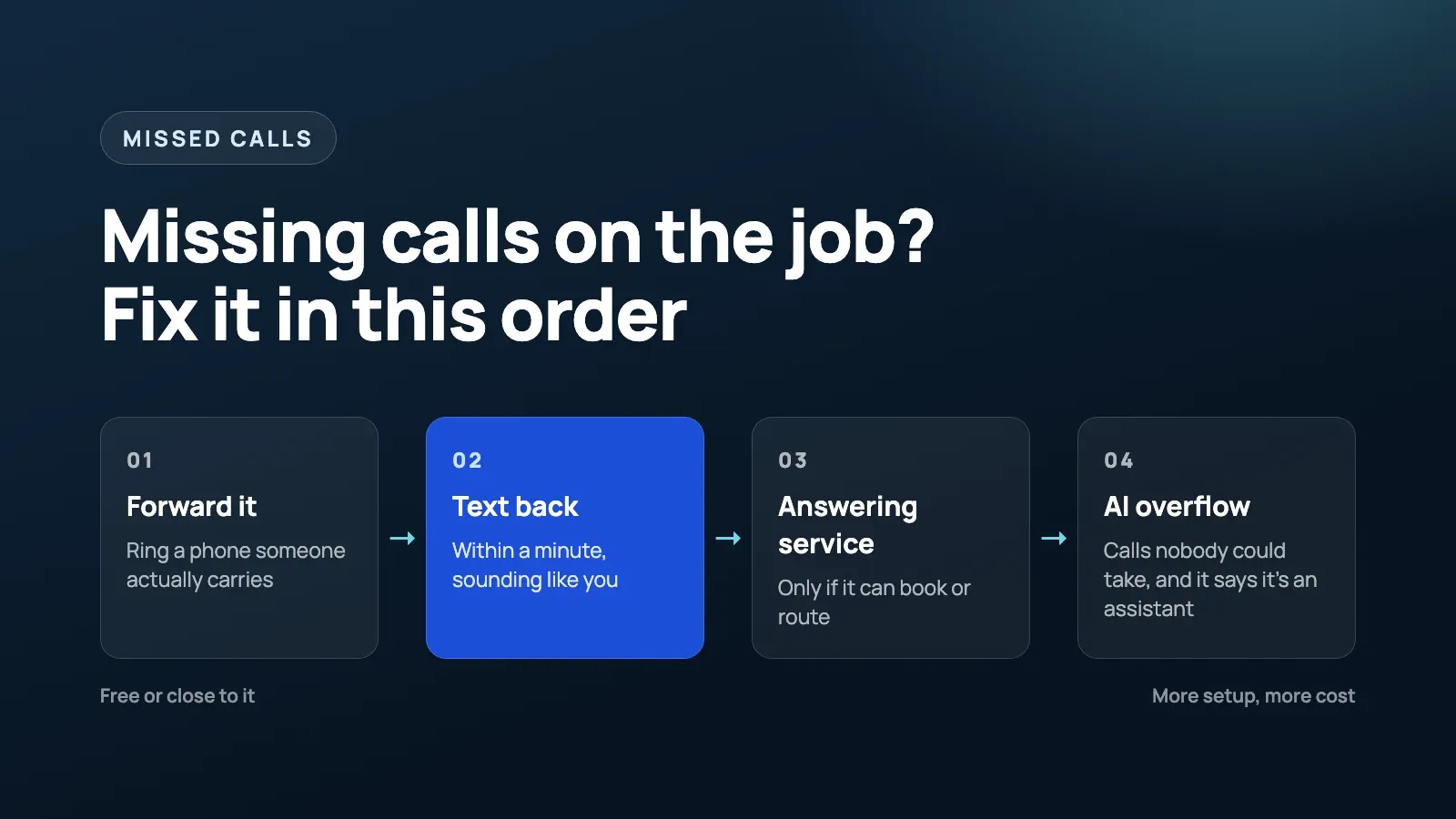
If you’re good at returning calls quickly, a clear voicemail greeting may be all you need. If you’re still deciding whether you need any of this, start with how to stop missing calls on the job, which covers the free fixes.
What else ends up on the bill?
Usually three things that pricing pages don’t spell out: real calendar booking, texting registration and contract terms.
Booking that actually books
A receptionist that only takes messages saves you less than one that books into the calendar you really use, and that goes for human services too. Check which plan includes calendar booking (on Rosie’s page it starts at $149) and whether your CRM is supported or needs a paid connector like Zapier. Then book a test job through it and check that it lands in your calendar with the right details.
Texting registration in the US
If the AI texts callers in the US, such as booking links or confirmations, the number needs A2P 10DLC registration, and that registration becomes part of your launch timeline. If you register your own number through Twilio, its fee page lists $4.50 one-time for a low volume brand ($46 for a standard brand), a $15 campaign vetting fee, then $1.50 to $10 a month for the campaign, plus carrier fees on every message. The fees are small. The approval wait is what catches people out, so ask your vendor whose registration your texts will go out under.
Contract terms
Smith.ai’s AI plan is month to month with 30 days’ notice, and Rosie’s page offers a 7-day free trial and says you can cancel anytime. Terms vary, so read the cancellation rules before you sign.
What should you ask a vendor before you sign?
Ask how your actual calls will be billed, not what the plan costs. I’d put these to any vendor, AI or human:
| Question to ask | Why it changes the bill |
|---|---|
| Do you bill per minute, per call or per unique caller? | Short calls, long calls and repeat callers each favour a different model |
| If a robocall or wrong number gets answered, do I pay for it? | Junk calls can eat a big share of a metered plan |
| What happens when I go over my plan’s limit? | Extra calls can cost more each than the calls inside the plan |
| Which plan includes booking into my calendar or CRM? | Booking is often on a higher tier or needs a paid connector |
| How do I see what it said on each call? | If checking takes a dashboard login every day, you’ll stop doing it |
Is it cheaper than an answering service or a part-time admin?
On the plan price, yes. Human answering plans on the pages above start at $250 to $300 a month for 50 minutes or 30 calls, while the AI plans start at $49 to $150. The gap narrows once you add your own setup and review time.
A part-time admin usually costs the most of the three, but also does other work like quotes and invoices. When you’re turning work away, a person may be the better buy. When you mainly need someone to catch calls you can’t take, the AI or a human service usually costs less. And if you only miss a few calls a week, I’d skip both and just get faster at calling back.
One cost nobody can price in advance is callers who hang up on the AI and never ring back. They don’t show up in any report, so compare your bookings for a few months before and after you switch. If they drop, you’re losing more in missed jobs than you save on the answering bill.
What does it cost in a real month?
Here’s a worked example. It’s illustrative: the assumptions below are mine, made up to show the math, not any client’s numbers.
- A two-person service business forwards only missed and after-hours calls.
- 120 calls a month are forwarded. 20 are spam or wrong numbers. The other 100 come from 90 different people.
- Calls average 2.5 minutes, so about 300 minutes in total.
- The owner spends 6 hours setting up and testing in month one, then about an hour a week (4 hours a month) checking calls. A human service needs about 1 hour a month of checking.
- The owner’s time is worth $50 an hour. Use your own number.
- 30 of the 100 real calls still need a callback from the owner, whichever option you choose.
| Option | Plan cost | Owner time | Monthly total |
|---|---|---|---|
| Per caller (Goodcall Starter) | $79, since spam doesn’t count and 90 callers fit in 100 | $200 | $279 |
| Minute bundle (Rosie Scale) | $149, the next plan up, since 300 minutes won’t fit in the $49 plan’s 250 | $200 | $349 |
| Per call (Smith.ai AI Pro) | $232.50: $150 for 75 calls, plus 33 extra at $2.50 after removing 10% as spam | $200 | $432.50 |
| Human, per call (Smith.ai Basic) | $915: $810 for 90 calls, plus 10 extra at $10.50 | $50 | $965 |
| Build your own (Retell) | $21 to $93 in call minutes | Build and upkeep by someone technical | Depends on who builds it |
Every option also carries the 30 callbacks, roughly 2.5 hours or $125 of your time, and the AI options add about $300 of setup time in month one. If the receptionist texts callers from your own registered US number, add the 10DLC fees above.
Two things stand out. In this example, the owner’s time is bigger than the gap between the AI plans. And the cheapest plan depends on the shape of your calls: with lots of repeat callers, per-caller billing wins, and with lots of long calls, per-call billing catches up.
FAQ
How much does an AI receptionist cost per month?
On the official pricing pages I checked on October 22, 2026, paid small business plans started between $49 and $150 a month, billed per minute, per call or per caller. The real cost is higher once you add extra calls, spam, texting registration and the hours you spend setting it up and checking it.
Do spam calls count against an AI receptionist plan?
It depends on the billing model. Some per-call and per-caller plans leave spam out or give you an allowance for it, while minute bundles count the minutes the AI spends on the line. Ask the vendor how spam is billed, and look at a month of your call log before you pick a plan.
Is an AI receptionist cheaper than an answering service?
On the plan price, usually yes. The human plans I checked started at $250 to $300 a month for 50 minutes or 30 calls. The AI needs more of your time to set up and review, though, and both still leave you calling some people back.
How much time does an AI receptionist take to maintain?
Expect a few hours to set it up and test it, then roughly an hour a week reading calls and fixing answers for the first few months. That is my own rule of thumb, not a vendor figure. If nobody checks, wrong answers can go unnoticed for months.
Do I need A2P 10DLC registration for an AI receptionist?
Only if it sends texts to US numbers from a regular 10-digit number, such as booking links or call summaries to callers. Ask whether the vendor’s registration covers your texts or whether you need to register your own brand and campaign, which takes time and has small fees.
Final thought
I’d start with your call log before choosing a plan: forwarded calls, their duration, spam and callbacks. Price those calls under each billing model, then add the hours you’ll spend checking them. If the saving depends on nobody reviewing the AI, I’d reconsider the setup.
If you want help working out those numbers, or setting up call handling that books into the tools you already use, see our Voice AI service.
Free 30-minute strategy call
Want this working in your business?
Show us where time, leads, or money are leaking. We will map the simplest system that fixes it. If we are not a fit, you still leave with a clearer plan.
Book a Free Strategy Call